












WhatsApp +212 663 813 479

IPTVever – IPTV Subscription for People Who Have Switched Before

Moving to a Different IPTV Provider, Without the Guesswork

You already know what IPTV is. What you want to know is whether this one will still be working in March, and whether moving is worth the evening it costs. So: 25,000+ channels and 120,000+ on-demand titles, your existing player and hardware carry straight over, and a 24-hour line runs beside whatever you are paying for now. Cancel nothing until you have compared them on the same evening.

  • Nothing to cancel first
  • A person on WhatsApp, 24/7
  • Watching again in under 15 minutes
The same television, tablet, laptop and phone, signed in on new credentials
25,000+ Channels to compare against your current list

Two subscriptions can run side by side for a day. That is the whole point — you should never have to cancel one provider to find out about the next.

Ask what moving involves

7 days to go back, on any plan

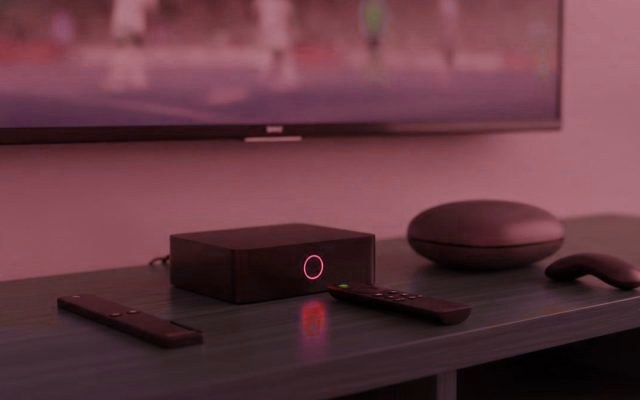
Comparing two channel lists side by side on a living-room television Entering new credentials into a player that is already installed
Who we are

Why the Last One Stopped Working


Almost nobody arrives here for their first subscription. They arrive because something ended: the picture started breaking at kick-off, the seller stopped replying, or the account simply went dead one Tuesday with eight months left on it. Those three failures have one cause between them, and it is not bad luck. It is a provider selling more capacity than it bought, then running out of room or running out of money.

We are not going to claim that cannot happen to anybody. What we will do is tell you what to look at before you hand over money again — here or anywhere else — and carry 25,000+ channels from the United States, the United Kingdom, Canada and 60+ further countries, with 120,000+ films and series, on capacity sized for the evening rather than the average.

  • Most of our customers came from somewhere else
  • Nothing is cancelled until you have compared both

Your Player and Your Hardware Come With You

Fire TV, Android, Samsung, LG, Apple, Roku, Windows, MAG and Formuler

Whatever you set up last time still applies. The account is a standard Xtream login, so TiViMate, IPTV Smarters and the rest take it exactly as they took the old one — you are changing three values inside an app you already know, not learning anything. Pick your hardware for the specific steps, or open the full list.

  • Amazon Fire TV Stick
  • Samsung Smart TV
  • Android TV
  • Apple TV and iPhone
  • MAG and Formuler box
  • Nvidia Shield
  • Android phone and tablet
  • IPTV Smarters Pro
  • Roku
  • Web player and M3U
  • LG Smart TV
  • Windows PC and Mac

The Figures, and Which of Them Are Worth Comparing

You will have seen numbers like these on the site you are leaving, which is exactly why they need explaining rather than displaying. Two of the four below are worth comparing between providers. Two are close to meaningless.

Compare the line-up

25,000+Channels — compare yours, not the total

120,000+On-demand titles, counted as titles

99.9%Platform uptime — the one that matters

60+Countries with genuine coverage

Watched daily in the United States · Canada · United Kingdom · Australia · Europe · Middle East

Plans

What It Costs to Move

Decide how many people need to watch different things at once, then decide how long to commit. Nothing else changes between these plans — the same 25,000+ channels and 120,000+ titles sit behind every one. And if you are coming off a bad year elsewhere, take a month rather than a year. We would rather you did.

1 Month

$ 15 / 1 month

that is $15.00 a month

  • The move takes an evening: same players, same hardware
  • 25,000+ channels, listed so you can compare before you go
  • 120,000+ on-demand titles, identical on every plan
  • 4K, Full HD or HD, whichever the source genuinely carries
  • Xtream Codes and M3U, so leaving here is never blocked either
  • WhatsApp answered by someone who has moved people across before
  • Refunded inside 7 days if it repeats what you left
Move to this plan

3 Months

$ 29 / 3 months

that is $9.67 a month

  • The move takes an evening: same players, same hardware
  • 25,000+ channels, listed so you can compare before you go
  • 120,000+ on-demand titles, identical on every plan
  • 4K, Full HD or HD, whichever the source genuinely carries
  • Xtream Codes and M3U, so leaving here is never blocked either
  • WhatsApp answered by someone who has moved people across before
  • Refunded inside 7 days if it repeats what you left
Move to this plan

6 Months

Long enough to be sure it lasts

$ 45 / 6 months

that is $7.50 a month

  • The move takes an evening: same players, same hardware
  • 25,000+ channels, listed so you can compare before you go
  • 120,000+ on-demand titles, identical on every plan
  • 4K, Full HD or HD, whichever the source genuinely carries
  • Xtream Codes and M3U, so leaving here is never blocked either
  • WhatsApp answered by someone who has moved people across before
  • Refunded inside 7 days if it repeats what you left
Move to this plan

One thing separates these tiers: how many people can watch different things at the same moment. The 25,000+ channels and 120,000+ on-demand titles are identical across all of them. Nothing renews by itself, nothing is a contract, and there are 7 days to walk back out. Figures in USD.

The pricing page puts every term against every tier, or run a line beside your current one before any of this matters.

A programme guide filling in after new credentials are entered
Back to watching in under 15 minutesThree values into the player you already use.
How the move works

Three Steps, and Nothing Cancelled Until the Last One

  1. Run both at once

    Ask for a test line. Add it as a second playlist in the player you already have — TiViMate and Smarters both hold several — and leave your current subscription exactly where it is. This costs you nothing and commits you to nothing.

  2. Compare on the same evening

    Open the same ten channels on each, at the hour you actually watch, ideally with something live on. That is the only comparison that means anything, and it is the one you could not run before you bought last time.

  3. Then move, and only then

    If it wins, pick a term on the pricing page. Your paid credentials replace the test ones in the same app, your favourites stay where they are, and you let the old subscription lapse rather than cancelling into the unknown.

Run Us Beside Your Current Provider for 24 Hours

A complete account, every channel open, no card and nothing to cancel. Add it as a second playlist, leave the first one running, and let a single busy evening settle it. This is the comparison nobody offered you the last time you bought.

Cancel nothing yet. No card, no billing details. The button hands your answers to WhatsApp, already written out, for you to read over before sending.

Before you commit again

Four Questions Worth Asking This Time

Is the price explicable?

$15 a month, or about $5.75 a month paid yearly. If a provider is far under that, ask what funds the gap. A year for $20 is below what bandwidth and staff cost, and the shortfall is usually the reason the last one stopped answering.

Can you test without cancelling?

Any provider can issue a line in minutes. One that will not let you run it alongside what you already have is asking you to burn a subscription on faith, which is precisely the position you were in last time.

What happens at peak?

This is where the last one failed and it is not mysterious. Capacity is decided in the evening. Ours is load-balanced with a lower-bitrate copy of every busy channel, which is an honest answer: sometimes you drop to HD rather than lose the picture.

Is there anything in writing?

Published prices, a real address, and a refund window written down — 7 days here, set out on the refund page. A seller who lives only inside a chat account has nothing you can hold them to.

What Went Wrong, Why It Happens, What We Do

The complaintWhat actually caused itWhat we do about it
Froze every Saturday nightCapacity sold several times overProvisioned for peak, with an HD fallback on every busy channel
Channels quietly disappearedUpstream feeds dropped and never replacedThe line-up is published; missing channels are a refund case
Account died mid-termThe operator stopped tradingMonthly first, so you are never far out of pocket
Nobody replied after paymentSales handled by one person, support by nobodyA person on WhatsApp, 24/7, before and after
"4K" that plainly was notUpscaled feeds relabelledUltra HD only where the broadcaster produced it
Guide empty or a day behindNobody maintaining schedule dataGuide and catch-up you can check on day one
Locked into their own appCredentials tied to one playerStandard Xtream and M3U, so leaving here is easy too
Price rose at renewalAn introductory rate that was never the rateNothing auto-renews; you are asked each time

Selling It Under Your Own Name

Wholesale credits, a panel, and the margin set by you

Credits at wholesale and whatever you charge above is yours. The panel issues lines in seconds against the same 25,000+ channels. If you are here because your own supplier disappeared and took your customers with them, say so — that conversation is worth having before you buy anything, and we will tell you honestly what the support load looks like.

Read the reseller rates
Asked and answered

What People Ask Before They Move

The questions that come up when somebody is already on IPTV and weighing whether to change. Several of the answers are not flattering to us.

Do I have to cancel my current provider first?

No, and you should not. Ask for a test line and add it as a second playlist in the player you already use — TiViMate and IPTV Smarters both hold several at once. Your existing subscription keeps running untouched. Compare them on the same evening, then let the old one lapse rather than cancelling into the unknown.

How long does moving actually take?

About ten minutes for the first screen and roughly two for each one after. You are not reinstalling anything: the account is a standard Xtream login, so you add a playlist to the app you already have and type in three values. Your favourites on the old line stay where they are until you delete it.

Will my existing player and box still work?

Almost certainly. Fire TV Stick, Android TV and boxes, Samsung and LG sets from 2016 onward, Apple TV, iPhone, iPad, Roku, Windows, Mac, MAG and Formuler are all covered. Whatever you configured for the last provider takes these credentials the same way. That is the whole reason moving is a quick job rather than a project.

What stops the same thing happening again?

Honestly, nothing can be promised outright, and a provider who says otherwise is the sort you just left. What can be checked is the shape of the thing: published prices, a written refund policy, a test line you can run alongside, and somebody answering before you have paid. Buy a month rather than a year and the downside stays small.

What does it cost?

One month on a single stream is $15. A full year is $69, around $5.75 a month. Tiers for two, three and five people watching at once are on the pricing page. If you have just lost money on a provider that vanished, take the month — the saving on a year is not worth the exposure until you trust the thing.

How do I compare two providers properly?

Write down the ten channels you would genuinely miss and open those ten on both lines, at the hour you normally watch, on the television you actually use, ideally with something live running. A count of 25,000+ is irrelevant if your ten are not in it. Do not compare on a quiet weekday morning; everybody looks competent then.

Is the sport any good at peak?

That is where most people were let down last time, and it is decided by capacity rather than anything clever. The NFL, NBA, MLB, NHL, Premier League, Champions League, UFC and boxing pay-per-view have dedicated channels, many with a 4K feed on the night. Test it during a real fixture instead of taking our word for it.

Can I keep my old channel numbering and favourites?

Favourites belong to the app rather than to the subscription, so they survive on whichever playlist you built them on. Channel numbering will not match between providers and there is no way around that. TiViMate lets you renumber manually, which is worth doing for your thirty regulars and not worth doing for anything else.

What connection do I need?

Roughly 10 Mbps for HD and 25 for 4K. If your old service stuttered on a good connection, that was capacity at their end rather than yours. If it stuttered on everything including streaming apps, the connection is worth fixing first, because no provider will rescue an overloaded wifi network.

What if it turns out no better?

You have 7 days. If it repeats what you left and support cannot sort it out, say so inside that window and the money comes back in full. The refund page sets out what is covered and what is not, in plain terms, before you buy rather than after — which is itself part of the answer.

How many people can watch at once?

Whatever your tier allows, and this is the only thing the tiers change. Install the player on every device in the house; the limit is on simultaneous viewing, not installations. If two people regularly want different things at the same time, that is what the two-person tier is for, and it is worth getting right when you move.

Why is everything handled on WhatsApp?

Because you can ask a real question before paying and get a real answer, which is the test most providers fail. It also means that when something breaks at eleven at night you are messaging the same thread rather than filling in a form. If the last one went quiet after the sale, this is the difference worth checking early.